Proudly serving Phoenix, Glendale, Scottsdale, Tempe, Mesa, Chandler & surrounding areasCall or Text 24/7: 480-243-9123

iPad Repair in Phoenix, AZ for Screen, Battery & Charging Port Maintenance

Phoenix Phone Repairs provides professional iPad repair in Phoenix, Arizona, for cracked screens, worn batteries, damaged charging ports, liquid exposure, and broken back housings. We work on iPad mini, iPad Air, and iPad Pro models, along with original full-size generations. Services include screen replacement, battery replacement, charging port repair, water damage cleaning, and model-specific diagnostics. Households, schools, and businesses can also ask about walk-in, mail-in, and coordinated fleet service.

Phoenix's triple-digit summer heat can accelerate lithium-ion battery wear, weaken adhesive seals, and stress LCD panels. Construction dust and monsoon debris can also pack into Lightning or USB-C ports and interrupt charging. Our technicians use calibrated heat stations, grounded mats, plastic tools near battery cells, and manufacturer-informed disassembly procedures. Genuine and OEM-grade parts, True Tone calibration where applicable, IPX seal testing, and full diagnostics help protect function after the repair.

Most common screen, battery, and charging-port repairs are completed the same day when the matched part is available; calling ahead lets us confirm stock for your exact model and generation.

Phoenix Phone Repairs provides iPad repair throughout Phoenix and the surrounding metro, including Scottsdale, Tempe, Mesa, Chandler, Glendale, and communities across Maricopa County.

★ ★ ★ ★ ★4.9/5 Average Rating · 20+ Years of Experience · Thousands of Customers Helped · Licensed & Insured · Residential & Commercial

Phoenix iPad Repair Services & Benefits

What Is Professional iPad Repair?

Professional iPad repair starts by confirming the exact model number and identifying whether the fault is limited to the screen, battery, charging port, housing, or another internal component. That distinction matters because assemblies and connector layouts differ across iPad mini, iPad Air, iPad Pro, and older full-size models.

The repair may involve heat-softening an adhesive bond, lifting damaged glass, disconnecting a digitizer ribbon, replacing a battery or charging flex assembly, or cleaning corrosion from the logic board. Home buttons and Face ID modules are transferred where the model design requires it.

After installation, the device is reassembled and checked for touch response, brightness, charging, cameras, wireless signal, and biometric functions that apply to the model. This full diagnostic approach addresses both the visible damage and the functions that could be disturbed during disassembly.

Benefits of Professional iPad Repair

A model-matched repair can restore the function you rely on without replacing an otherwise useful iPad. Careful diagnostics also distinguish a failed part from debris, corrosion, firmware trouble, or a connection issue before work begins.

  • Restore accurate touch response and display brightness
  • Recover measurable battery runtime after capacity loss
  • Correct loose, worn, bent, or debris-packed charging connections
  • Remove liquid residue that can keep corroding connector pins
  • Preserve Face ID, Touch ID, camera, cellular, and Wi-Fi function where applicable
  • Use genuine or OEM-grade replacement parts instead of low-grade glass
  • Receive a firm quote before repair work begins
  • Get same-day turnaround on many common repairs when parts are available
Phoenix iPad Repair

Complete Phoenix iPad Repair Services

Phoenix Phone Repairs handles the most common display, power, charging, liquid, and housing faults across iPad generations. Each service begins with a model check and diagnosis so the part and procedure match the device on the bench.

iPad Screen Repair

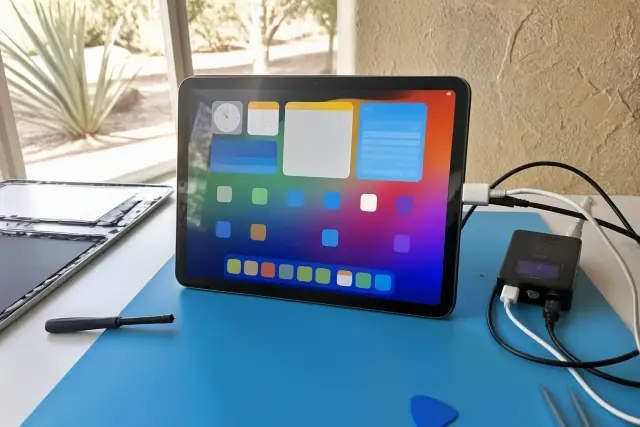
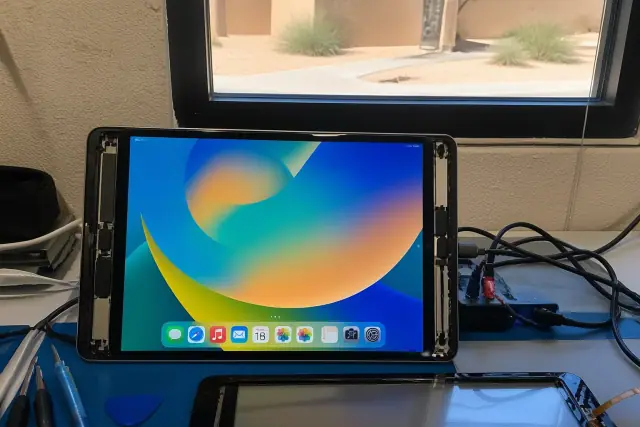
iPad with a new screen undergoing diagnostics at a repair bench in Phoenix, AZ.

Cracked glass, dead touch zones, ghosting, and damaged LCD panels require the correct assembly for the model. We soften the adhesive with calibrated heat, lift the glass carefully, transfer the home button or Face ID module when required, and complete touch calibration and a multi-point diagnostic.

Request Estimate

iPad Battery Replacement

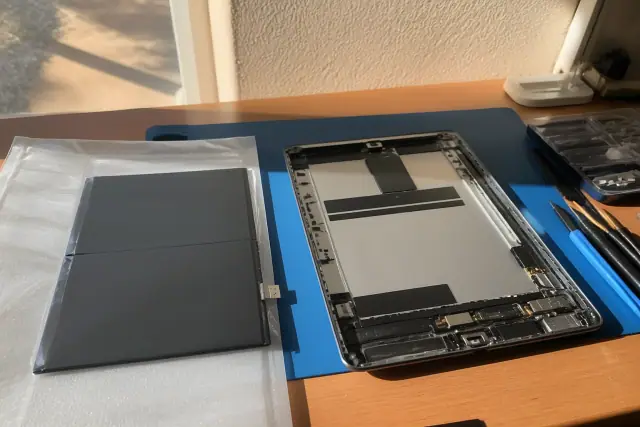
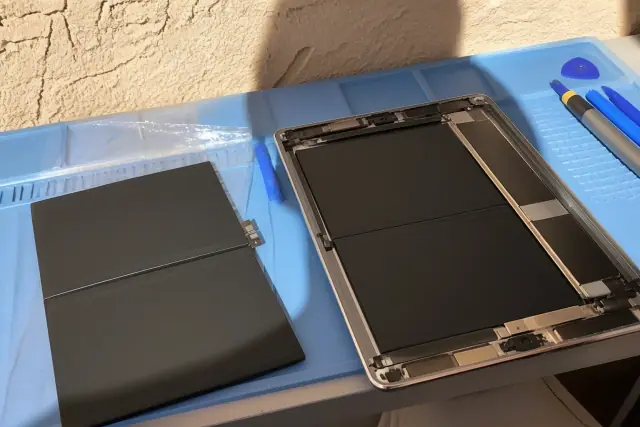
New battery being installed into an open iPad on a workbench in Phoenix, AZ.

Unexpected shutdowns, limited charge, and a case beginning to bulge can point to a degrading lithium-ion cell. We check cycle count, maximum-capacity percentage, and voltage draw under load before recommending replacement, then install new adhesive strips and run a full charge-discharge cycle test.

Request Estimate

iPad Charging Port Repair

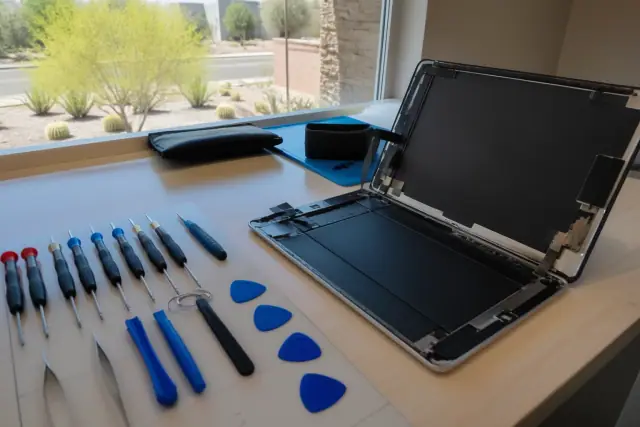
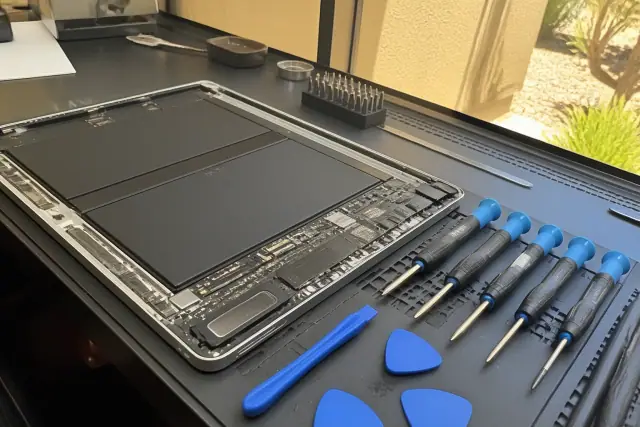
Opened iPad with internal components and repair tools on a workstation in Phoenix, AZ, with desert landscaping visible.

An iPad that charges only at a certain cable angle may have lint buildup, corrosion, bent contacts, or worn pins in its Lightning or USB-C port. We inspect the connection under magnification, attempt careful cleaning first, and replace the matched charging flex assembly when the port has failed.

Request Estimate

iPad Water Damage Repair

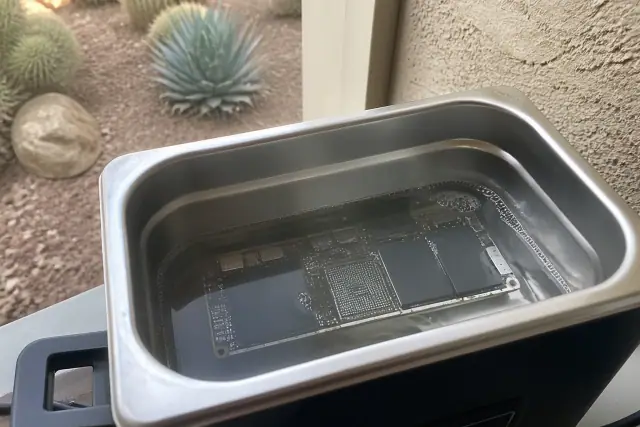
iPad circuit board submerged in an ultrasonic cleaning bath for water damage repair in Phoenix, AZ.

Liquid damage service begins with an internal inspection of contact indicators, battery and logic-board areas, and connector pins. We use isopropyl alcohol and an ultrasonic cleaner to remove corrosion, then dry and test the logic board, connectors, and battery terminals individually before reassembly.

Request Estimate

iPad Back Glass and Housing Repair

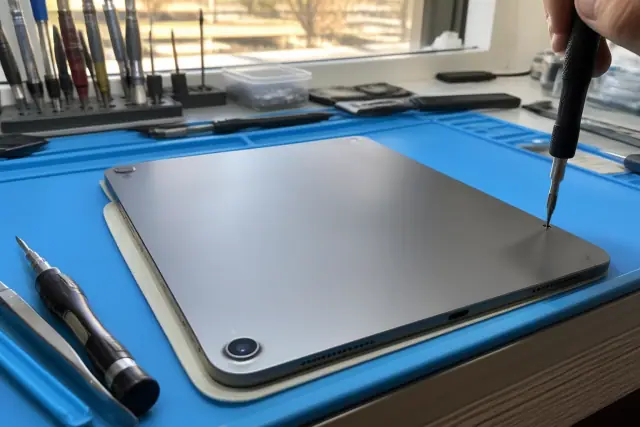
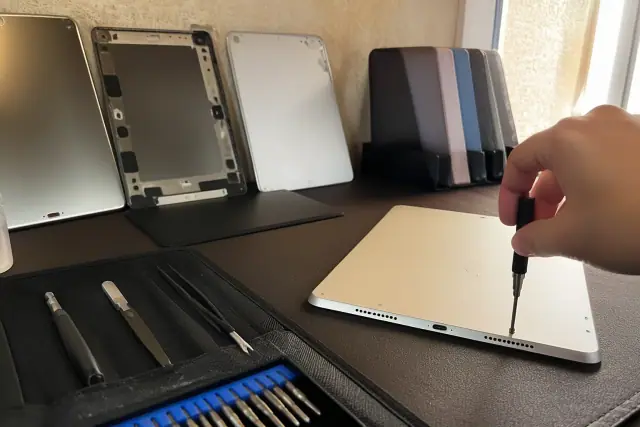
Technician using a precision screwdriver to fasten screws on an iPad during a repair in Phoenix, AZ.

Corner impacts can crack the camera-area glass or damage an iPad Pro housing. Because antenna lines and camera flex connectors run close to the work area, we map each connection before disassembly and test cameras, cellular signal, Wi-Fi, Face ID, or Touch ID after reassembly as the model allows.

Request Estimate

Express and Flexible Service Options

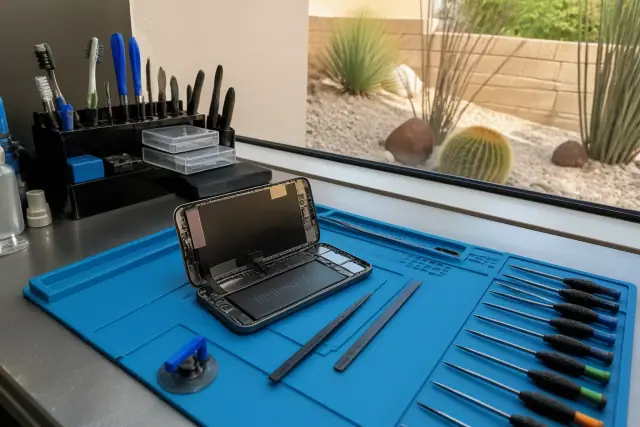
An opened smartphone with internal components on a workbench with repair tools in Phoenix, AZ, by a window with desert views.

Standard screen and battery replacements typically take one to two hours, depending on the model and parts availability, while water damage and logic-board work require more time for drying and testing. Walk-in repair is available, and customers outside Phoenix can ask about mail-in service; business and school fleets can arrange on-site service coordination.

Request Estimate
Models and Repair Scope

Repair Options for Every iPad Generation

The right repair path depends on the iPad generation, assembly design, damage location, and parts availability. These common repair groups show what our technicians inspect, replace, and verify before returning the device.

Technician testing a newly installed iPad screen on a diagnostic bench in Phoenix, AZ.

Screen and Digitizer Assemblies

Screen assemblies differ significantly across iPad mini, iPad Air, and iPad Pro designs. Independent Phoenix shops typically price screen replacement from $79 to $250, with laminated glass and Face ID models often at the higher end.

  • Exact model-number confirmation
  • Calibrated heat for the adhesive bond
  • Careful digitizer-ribbon disconnection
  • Home button or Face ID transfer where required
  • Touch, brightness, and dead-zone testing
Request Estimate
Replacement battery and repair tools for an iPad on an anti-static mat in Phoenix, AZ.

Battery and Power Systems

Battery replacement generally costs less than display work, with a typical range of $69 to $150 depending on the model. Diagnosis separates actual cell degradation from a firmware reset or another power fault before a part is installed.

  • Cycle-count and maximum-capacity check
  • Voltage-draw testing under load
  • Inspection for bulging at case seams
  • New temperature-rated adhesive strips
  • Full charge-discharge cycle verification
Request Estimate
Opened smartphone with exposed internal components and charging ports at a repair workstation in Phoenix, AZ.

Lightning and USB-C Charging Ports

Charging-port repair typically ranges from $69 to $140 based on labor complexity and the matched part. Cleaning can resolve packed lint or debris, while failed contacts may require desoldering and replacement of connectors smaller than a grain of rice.

  • Magnified inspection for bent contacts
  • Corrosion and lint-buildup check
  • Isopropyl alcohol and compressed-air cleaning
  • Matched charging-flex replacement when needed
  • Stable cable and charging verification
Request Estimate
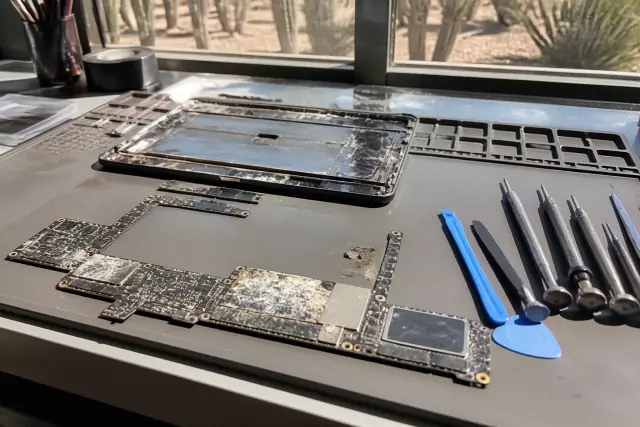
Opened smartphone with internal liquid damage and corroded logic board on a repair workbench in Phoenix, AZ.

Liquid Damage and Logic Boards

Water-damage diagnostic and cleaning typically ranges from $49 to $150, plus parts if needed. Because chlorine and mineral residue can continue corroding contacts for days, the device must be opened, cleaned, dried, and tested rather than simply left to air-dry.

  • Liquid-contact indicator inspection
  • Logic-board and connector-pin assessment
  • Ultrasonic and isopropyl-alcohol cleaning
  • Individual component drying and testing
  • Function and data-recovery assessment
Request Estimate
iPad back glass and housing repair on a workbench in Phoenix, AZ.

Back Glass, Housings, and Model Families

Back-glass repair typically ranges from $89 to $180 based on the housing and labor involved. Work spans original full-size iPads through iPad mini, iPad Air, and the latest iPad Pro models with M-series chips, with model-specific handling for nearby antennas, cameras, and biometric sensors.

  • Camera-housing and corner-impact inspection
  • Antenna-line and camera-flex mapping
  • Cellular and Wi-Fi signal testing
  • Camera and biometric-function testing
  • Raised-corner case guidance for prevention
Request Estimate
Finding the Right Repair

Choosing the Right iPad Repair Approach

The best repair choice considers the exact iPad generation, the number of affected components, parts availability, warranty status, and the device's remaining useful life. We inspect the device and explain whether a targeted repair, deeper board work, or replacement makes the most financial sense before you authorize service.

Model-Specific Diagnostics

We identify the exact model and test the affected function before recommending a part. Battery diagnostics include cycle count, capacity percentage, and voltage under load, while charging faults are inspected under magnification before the port is assumed to have failed.

Careful Bench Procedures

Grounded mats, anti-static handling, plastic tools near the battery cell, and calibrated heat reduce disassembly risk. Technicians also work with Apple's pentalobe and Torx fasteners and follow the battery-connector routing required for the iPad generation.

Clear Quotes and Repair Guidance

Free diagnostics are available on most repairs, followed by a firm price before work begins. If a reasonable battery only needs a firmware reset, or an older device has several failing components, we explain that instead of pushing an unnecessary part swap.

What Sets Us Apart

Why Choose Phoenix Phone Repairs for iPad Repair?

Phoenix Phone Repairs combines model-specific diagnosis, genuine and OEM-grade parts, careful disassembly, and complete function testing. We quote the work before it starts, explain parts delays on rare or older generations, and stand behind our parts and labor if something is not right after repair.

Request a Repair Quote

Cracked or Unresponsive Screen

Cracked glass is the single most common iPad repair on the bench. Leaving it open to dust and moisture can damage the digitizer or LCD underneath, turning a $79-$129 glass repair into a considerably more expensive full display-assembly replacement.

Fast Battery Drain or Swelling

An iPad that will not charge past a certain percentage, shuts down unexpectedly, or bulges at the case seams needs a battery assessment. Phoenix heat accelerates lithium-ion breakdown, and a device left in a hot car during July can accumulate years' worth of cycle aging in a single afternoon.

Loose or Intermittent Charging

A cable that works only at a specific angle can indicate worn contacts, bent pins, or debris packed into the port. For iPads used around job sites or desert trailheads, a port-cover case and a quick monthly dry-brush check can help keep the connection clear well past the one- or two-year mark.

Liquid Exposure and Corrosion

Phoenix pool season runs nearly eight months a year, bringing iPads into contact with pool water, spilled drinks, and sprinklers. Powering the device again can turn a $99 cleaning into board-level repair, while same-day drop-off gives the best odds of recovering full data and function.

Back Housing and Camera-Area Damage

A corner-first drop onto concrete or tile can crack an iPad Pro camera housing or deform the surrounding back housing. The repair must account for antenna lines, camera flex connectors, and nearby sensors, then verify signal strength, camera operation, and biometric response.

Heat, Dust, and Debris Stress

Extended triple-digit heat stresses batteries, adhesive seals, and LCD panels even without a drop. Spring construction dust and monsoon haboob debris can also enter exposed charging ports, so local diagnosis should consider environmental wear along with visible impact damage.

How It Works

Our iPad Repair Process

Our six-step process matches the repair to the device, protects sensitive components during disassembly, and verifies function before return. Parts availability and the extent of liquid or board damage determine the final timeline.

01.

Confirm the Model and Symptoms

We record the exact iPad model and generation, then review the screen, battery, charging, liquid, housing, or performance symptoms. This first step prevents mismatched assemblies and repair procedures.

02.

Inspect and Diagnose

We test the affected function and inspect likely causes before recommending a replacement. Depending on the fault, that can include magnified port inspection, battery-health readings, liquid indicators, or touch and display diagnostics.

03.

Review the Quote

After inspection, we provide a firm price based on the model, required part, and whether damage has spread to other components. No repair work begins until you understand the options and authorize the service.

04.

Disassemble with Controlled Heat

Calibrated heat softens adhesive without warping the aluminum housing or damaging digitizer cables. Grounded mats, anti-static protocols, and plastic tools help protect the logic board and battery cell as connectors are released.

05.

Repair and Reassemble

We install the matched genuine or OEM-grade part, transfer required buttons or biometric modules, and reconnect mapped cables. New adhesive is applied where the screen, battery, or housing procedure requires it.

06.

Calibrate and Function-Test

Final testing covers touch response, brightness, charging, battery performance, cameras, wireless signal, and Face ID or Touch ID where applicable. We also calibrate True Tone displays and test IPX water-resistance seals where the model and repair allow.

Get Your iPad Working Again

Schedule Your iPad
Repair
Assessment

Tell us the iPad model, generation, and symptoms so we can check likely parts availability before your visit. Walk in for service or call ahead when you need a common repair completed as quickly as the diagnosis and testing allow.

Phoenix iPad Repair Help

Phoenix iPad Repair FAQs

These answers cover common questions about iPad repair cost, timing, parts, water exposure, battery symptoms, and service options in Phoenix. An inspection is still the best way to match the recommendation to your exact model and damage.

Call Our Technicians

For most iPads under four to five years old, repairing one isolated issue is usually more economical than replacement. Once a device is six or seven years old or has several failing components, compare the firm repair quote with a newer refurbished model before deciding.

Cost depends on the model, repair type, and whether damage has reached other components. Typical independent-shop ranges are $79-$250 for screens, $69-$150 for batteries, $69-$140 for charging ports, $89-$180 for back glass, and $49-$150 plus parts for water-damage diagnostic and cleaning; we provide a firm quote after inspection.

A manufacturer or authorized network can be a strong option when the iPad remains under warranty. Outside warranty, major-manufacturer service fees often range from $199 to $649 by model, while an independent shop may offer lower prices and faster appointment availability; compare warranty status, cost, parts, and timing.

Standard screen and battery replacements typically take one to two hours when the correct part is available. Water damage and logic-board repairs take longer because safe drying and complete testing cannot be rushed, and rare or older-generation parts may need a short order lead time.

Common signs include stopping at a certain charge percentage, unexpected shutdowns, short runtime, or a case beginning to bulge at the seams. A battery-health diagnostic checks cycle count, maximum capacity, and voltage under load before replacement is recommended.

Yes, but the first step is to inspect the Lightning or USB-C port for lint, corrosion, bent contacts, and worn pins. If careful cleaning does not restore a stable connection, the matched charging-flex assembly can be desoldered and replaced.

Power the iPad off, do not charge it, and do not turn it back on to test it. Every additional power cycle can increase the risk of a short circuit, so arrange inspection and cleaning as soon as possible.

The housing is opened so liquid indicators, the logic board, battery area, and connector pins can be inspected. Corrosion is cleaned with an ultrasonic cleaner and isopropyl alcohol, then components are dried and tested individually before reassembly; success depends heavily on how quickly service begins.

Service covers original full-size generations, iPad mini, iPad Air, and iPad Pro models, including current M-series designs. Because screens, connectors, biometric modules, and internal layouts differ, we confirm the exact model number before quoting parts and labor.

Phoenix Phone Repairs sources genuine and OEM-grade replacement parts rather than the cheapest aftermarket glass available. Replacement displays are selected to match original touch sensitivity and brightness, then checked for ghosting, dead zones, and calibration after installation.

Screen, battery, charging-port, and back-glass repairs on common iPad Air, iPad mini, and iPad Pro models often qualify when parts are in stock. Water damage, logic-board faults, and rare or older-generation parts require more time, so calling ahead is the best way to confirm availability.

Phoenix Phone Repairs stands behind its parts and labor. If something is not right after the repair, bring the iPad back so the work can be checked and corrected; customers with device insurance can also review their policy for possible independent-repair reimbursement.

Walk-in iPad repair is available, and calling ahead allows the shop to confirm the matched part for your model. Customers outside the immediate Phoenix area can ask about mail-in repair, while businesses and schools can coordinate service for device fleets that cannot all be dropped off at once.